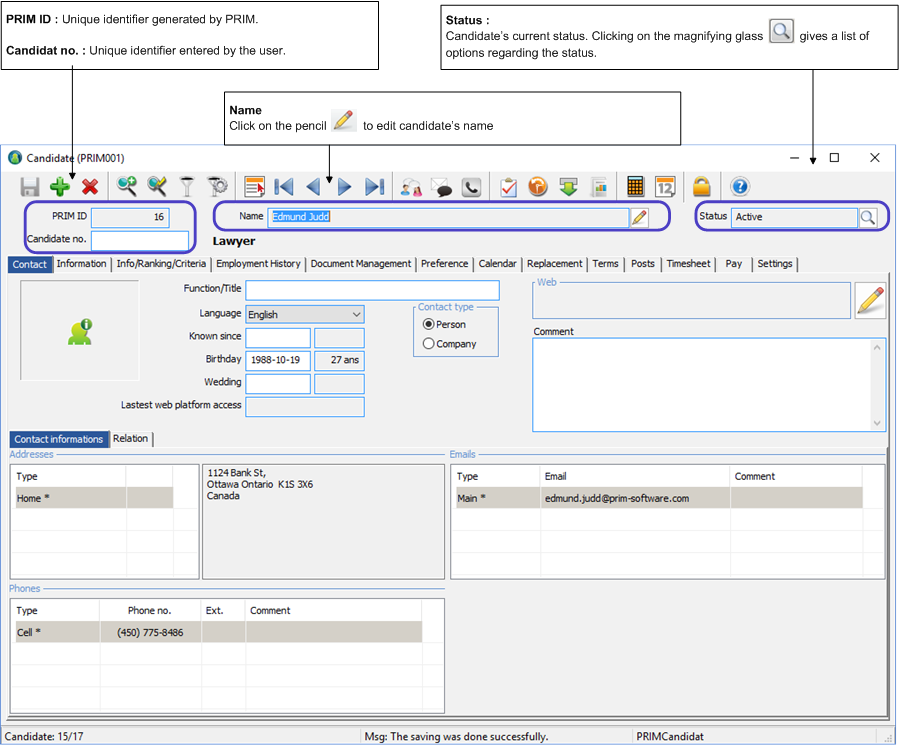
Window - Candidate (PRIM001)

Contents
All information related to the candidates are stored in this window.
From the « PRIM » ribbon, click on the « Candidate » button to open the candidate window.
The window opens in search mode, many fields are green.
•You can click on  to launch the research, PRIM will load all the records and will display the first candidate on the list.
•You can navigate between records with these icons  .
.
•If you want to find a specific candidate, you can enter a keyword in any of the green fields and by clicking to launch the research.
 The window can be displayed full screen or not.